
Most commented posts
- Too many Photos? — 7 comments
- Apple stores – posed the same question. — 6 comments
- The Planned Obsolesce Myth — 5 comments
- Your newish Mac is exposed — 5 comments
- Working from home — 5 comments


Jun 14 2017
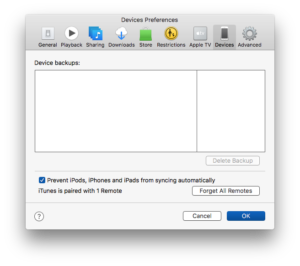
With all the new iPad Pros and -soon- iPhones that will soon be enticing us to upgrade, now might be a good time to discuss the best way to prepare your old iDevice for sale or bequeathment. Firstly make sure that your device has been correctly – and recently – backed up. If you have been plugging …
Permanent link to this article: https://macservicesact.com.au/erasing-your-old-idevice/
Apr 25 2017

In yesteryear it was considered a sin, punishable by public flogging I am reliably informed, to send an email attachment larger than 2MB. The reason for this was simply because the average mail server could not handle emails that were larger. For years, if you needed to send large files, you had to commit them …
Permanent link to this article: https://macservicesact.com.au/sending-large-attachments-in-apple-mail/
Apr 25 2017

A lot of people had some very negative things to say about Photos when it first came out. These people complained that they couldn’t find anything, that their Events had disappeared and all the cool features from iPhoto had been removed. Happily, most of these complaints evaporated like a Trump election promise the minute they …
Permanent link to this article: https://macservicesact.com.au/sending-a-photo-from-the-photo-app/
Apr 15 2017

I have said it many times… a PDF is the way to send a document via email. It can be read by any device, on any platform and the look, the formatting, you intended is never lost. Fortunately for us Mac users the ability to create a PDF from any document has been part of …
Permanent link to this article: https://macservicesact.com.au/create-a-secure-pdf-file/
Jul 10 2016

In days of yore your bank – or some such institution – would mail forms for you to sign and have you mail them back. These days they email the forms that they expect you to print out, fill in by hand, sign, scan back into your computer and then email back to them. …
Permanent link to this article: https://macservicesact.com.au/sign-forms-without-printing-them-first/
 Optimized by Seraphinite Accelerator
Recent Comments