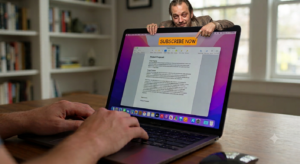
For years, Apple Pages was a rare oasis of sanity. You opened it, you saw a beautifully blank, white sheet of paper, and you wrote. It didn’t judge you. It didn’t bother you. It just sat there, quietly doing exactly what it was told. But now, some bright spark at Apple has looked at this …
Imagine you buy a hammer. You take it home, you put it in your toolbox, and you use it to smash nails into pieces of wood. It is your hammer. You paid for it. Then, a few years later, a man in a grey suit from the hammer company knocks on your door, walks into your shed, …
It is no secret that I have been a fan of Pages, and I am always trying to convince people that Microsoft Word (in most cases) is something you just don’t need. Despite my best efforts, though, there are still those that think that Word is the only processor out there, that it is needed …
Support for Apple’s M1 chip is certainly ramping up. While most applications will happily work in emulation, Adobe Photoshop and the gang is on track to be M1 native by early this year. Also, Parallels has announced that a version of their Windows emulator will be moving to AMD (rather than Intel) so we can …
So since I am currently banging on about Pages and why it is the only word processor you need, I thought maybe I should address some of the top reasons people don’t. Other people (Word users) cannot read my documents. This is true, but very easy to get around. On my own Mac and for …